API Integration
API Management - API Integration & Access
- API Integration & Access allows your application or software to connect directly with Sparklebot using a set of secure and well-designed interfaces (APIs). This means:
- Securely extend your application's functionality Add new features or automate tasks in own app by using Sparklebot API without compromising security.
- Robust API The API is strong, reliable, and built to handle various operations smoothly.
- Seamless data exchange Data flows effortlessly back and forth between your system and Sparklebot, keeping everything up to date automatically.
- Custom integrations Create unique connections tailored to your specific business needs, linking Sparklebot with other tools or platforms you use.
- Programmatic access to core resources Instead of using a manual interface, you can control and interact with important parts of Sparklebot (like contacts, messages, templates) through code, making workflows faster and more efficient.
Swagger Api Document : https://sparklebot.in/swagger
Overview
This section enables users to:
- Enable or disable API access
- Generate and manage API tokens
- View API endpoint information
- Set access permissions (Token Abilities)
Enabling API Access
| StepDescription | |
| 1. Enable API Access | Toggle the switch to enable API access on the settings page. |
| 2. Generate API Token | Click Generate New Token to create a new API authentication token. |
| 3. Copy API Base URL | Copy the base URL for API calls, usually: https://sparklebot.in/api/v1/ |
| 4. Note Tenant Subdomain | Use your tenant subdomain (example: tester) in endpoint URLs. |
| 5. Save Changes | Save all your changes to activate the API integration. |
API Authentication
| ParameterDetails | |
| API Token | Unique token generated for your tenant; acts as your API password. |
| Authentication | Use Bearer Token in the Authorization header for all API requests. |
Example Request Header
Authorization: Bearer YOUR_API_TOKEN_HERE
Content-Type: application/json
API Endpoint Structure
| ElementDescription | |
| API Base URL | The root URL where all API requests are sent. |
| Tenant Subdomain | Your unique tenant identifier, which is part of the URL path to specify your workspace. |
| Complete Endpoint | Combination of the API Base URL + Tenant Subdomain + specific resource path. Used to access different API features. |
Example Endpoint for Getting WhatsApp Templates
To retrieve WhatsApp templates, use the complete endpoint like:
API Base URL: https://skarklebot.in/api/v1/
Tenant Subdomain: tester
Complete Endpoint: https://sparklebot.in/api/v1/tester/templates
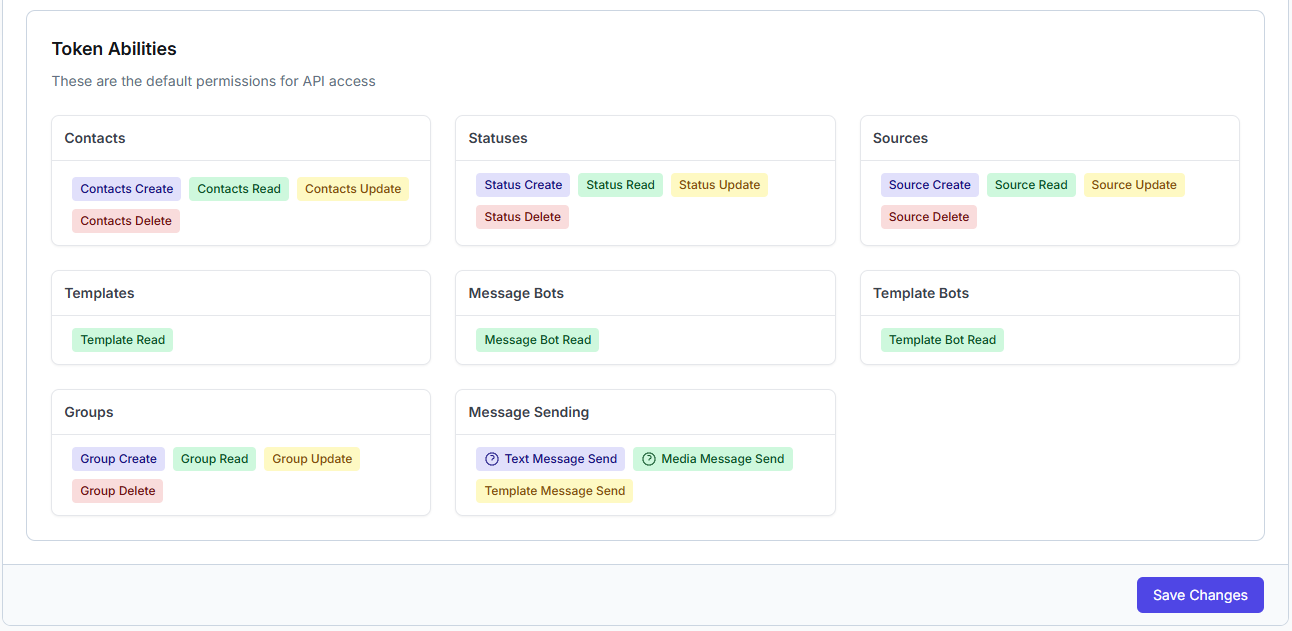
Token Abilities (Permissions)
Permissions define what actions the API token can perform. Adjust carefully for security and functionality.
| CategoryPermissionsDescription | ||
| Contacts | Create, Read, Update, Delete | Manage contact information (add, view, modify, remove). |
| Statuses | Create, Read, Update, Delete | Handle status updates for contacts or campaigns. |
| Sources | Create, Read, Update, Delete | Manage sources of contacts or message data. |
| Templates | Read | Access WhatsApp message templates for sending messages. |
| Message Bots | Read | View and manage message bot configurations. |
| Template Bots | Read | View and manage template bot configurations. |
| Groups | Create, Read, Update, Delete | Manage contact groups for segmented messaging. |
| Message Sending | Text Message Send, Media Message Send, Template Message Send | Permission to send different types of WhatsApp messages. |