Turn visitors into repeat buyers

Official Cloud WhatsApp Marketing Platform for Business.

Use the Official Cloud WhatsApp API and never get banned for sending bulk messages. Sparklebot offers the lowest cost 🤑 with 0% markup fees on Meta API, unlike others who add 20-25%.

Trusted by Leading Companies

Join thousands of satisfied clients who trust our platform for their business growth


Partner logo
Partner logo
Partner logo
Partner logo
Partner logo
Partner logo
Partner logo
Partner logo
Partner logo
Partner logo
Partner logo
Partner logo
Partner logo
Partner logo
Partner logo
Partner logo
Partner logo
Partner logo
Partner logo
Partner logo
Partner logo
Partner logo
Partner logo
Partner logo

Top companies trust our platform worldwide

All-in-One WhatsApp Marketing Software

Your customers are on WhatsApp. Reach, engage, and convert them with personalized WhatsApp campaigns and automation.

  • Official Meta Business Partner
  • 0% extra markup on official API charges
  • Access API through us or with your own credentials

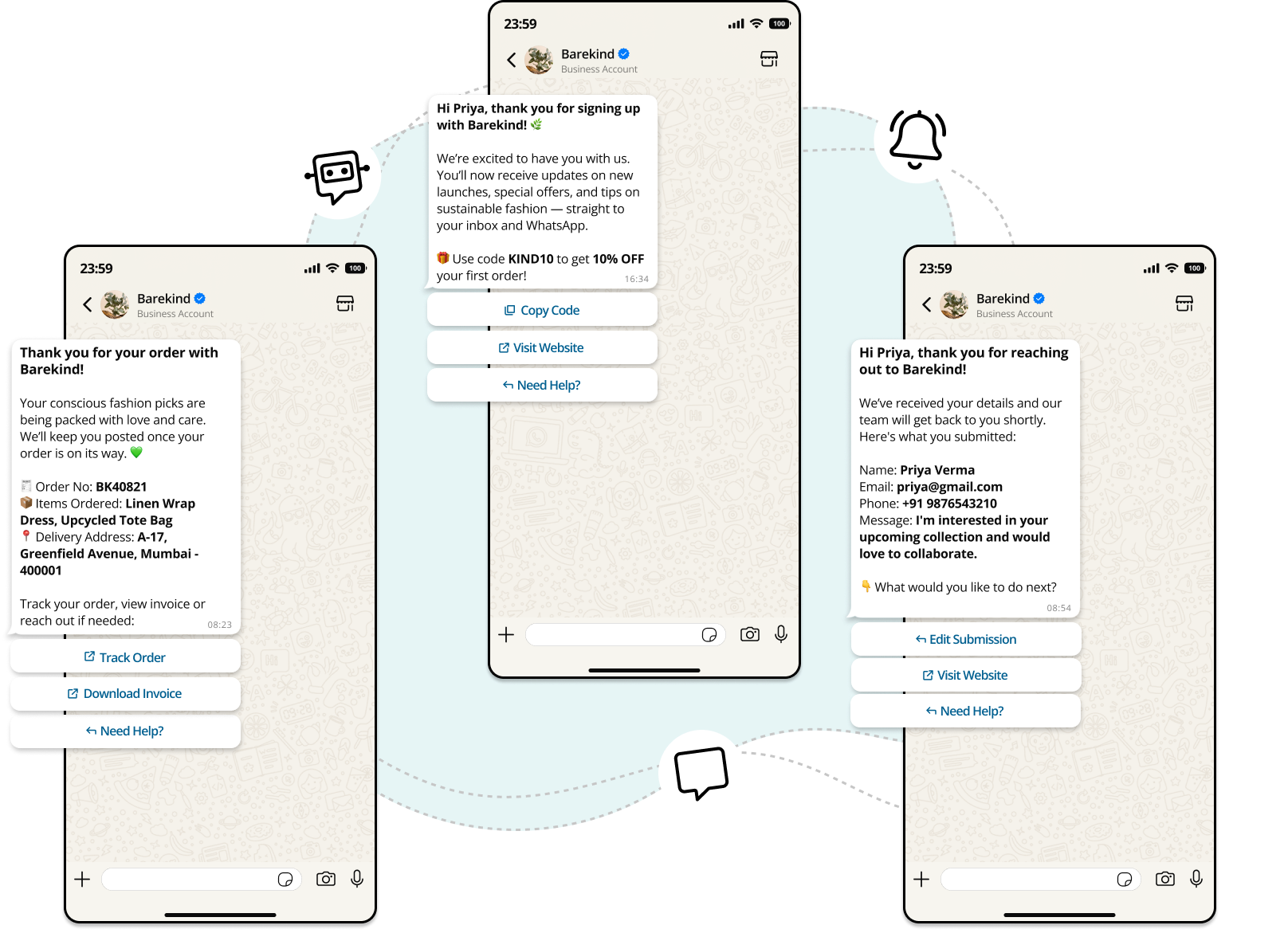
Access the WhatsApp Business API through Sparklebot with no dev headaches. Scale communication, automate workflows, and win customers. Run WhatsApp marketing campaigns and send transactional notifications to your customers using the official WhatsApp Business API.

No-code WhatsApp Chatbot Builder to Scale Real-Time Conversations

Send instant replies, qualify leads, and offer 24x7 support with no-code WhatsApp chatbots built using Sparklebot, powered by the official WhatsApp API.

  • Build and launch WhatsApp chatbots in minutes
  • Engage and offer 24/7 support to customers
  • Run multiple chatbots from a single WhatsApp number

A WhatsApp chatbot is an automated assistant that answers user questions, collects their details, and helps them complete key actions on WhatsApp without any human intervention. For businesses, it’s a scalable way to stay responsive, qualify leads, and serve customers 24x7.

Collaborate Seamlessly with WhatsApp Team Inbox

Everything You Can Do With Our WhatsApp Team Inbox

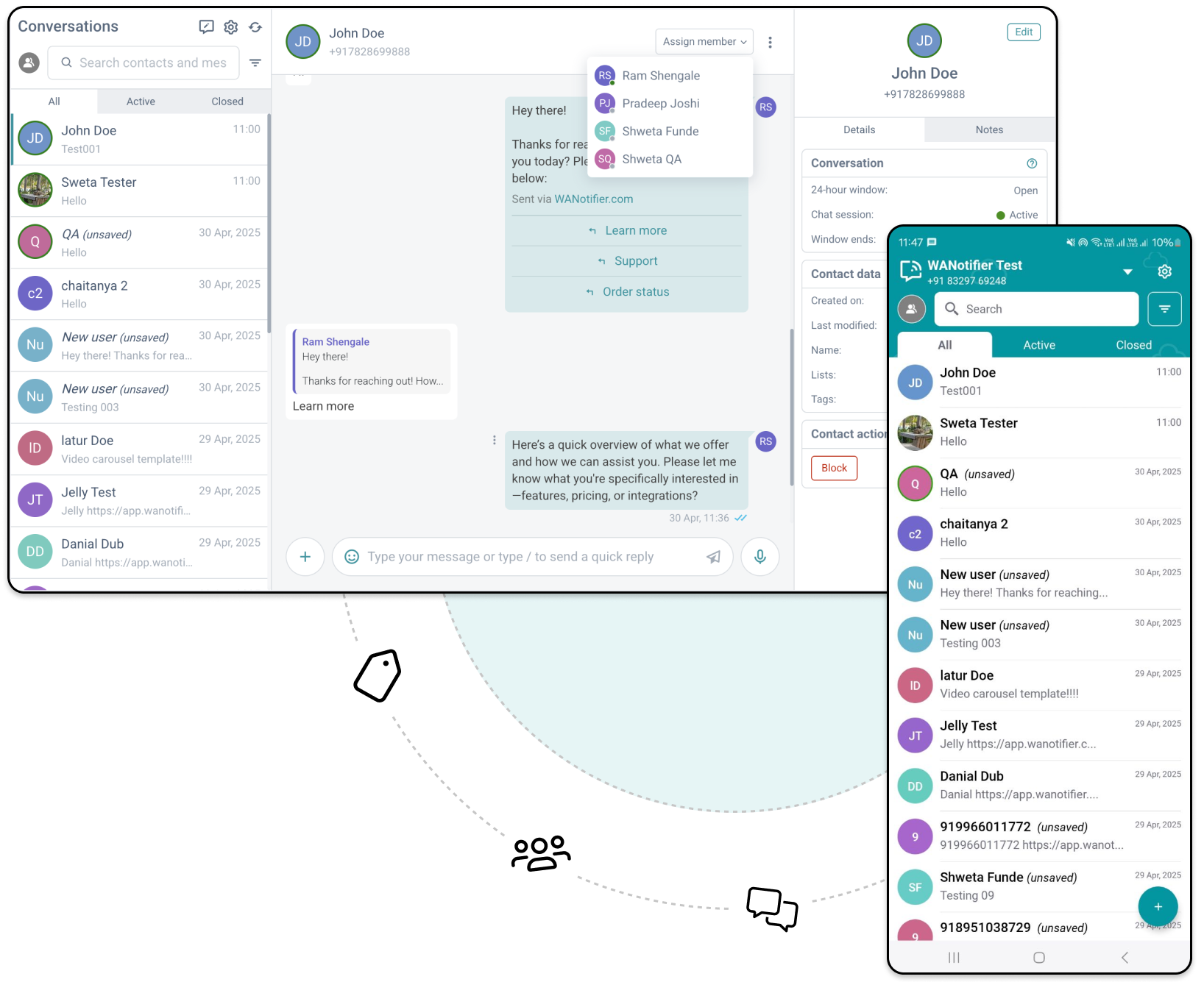
  • View all messages and conversations in one place.
  • Add multiple team members to your WhatsApp number.
  • Assign chats automatically to specific team members.
  • Send instant replies using pre-approved message templates.
  • Edit and organize contacts on the fly with lists, tags, and custom attributes

A WhatsApp Team Inbox is a centralized chat inbox that allows multiple team members to access, manage, and respond to customer messages from a single WhatsApp number.

Reach Your Audience At Scale With WhatsApp Bulk Message Sender

Personalize messages to make each broadcast feel like a 1:1 conversation

  • Send bulk messages with high delivery rate to valid WhatsApp numbers
  • Get up to 98% open rates. Far better than email or SMS
  • Schedule messages for peak engagement hours
  • Personalize messages to make each broadcast feel like a 1:1 conversation

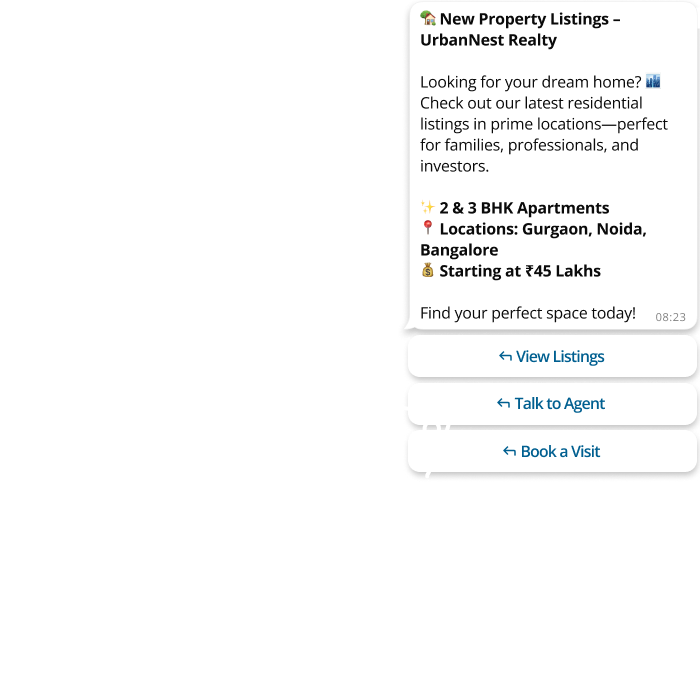
Broadcast personalized WhatsApp message to thousands, or even millions, of opted-in users at once. Share updates, time-sensitive offers, and alerts at scale without manually reaching out to each contact!

What our clients say

Access top-tier group mentoring plans and exclusive professional benefits for your team. 🔥

Pricing

Other providers charge up to 30% extra markup on top of WhatsApp API charges. We don't! No extra markup = more budget for your marketing campaigns = better ROI

SANDBOX PLAN

Basic plan for individuals getting started with WhatsApp

Free
  • Contacts: 50
  • Template Bots: 5
  • Message Bots: 5
  • Campaigns: 5
  • Staff: 1
  • Conversations: 50
  • Bot Flow: 1
  • Rest API: Unlimited
  • Embedded Signup: 1
  • AI Personal Assistants: 5
  • Ecommerce Webhooks: 5
  • Whatsapp Webhook: Unlimited

Developer API's

Drive marketing campaigns and customer engagement at scale with the official WhatsApp Business API.

₹999.00 /Monthly
  • Contacts: 1,000
  • Embedded Signup: 1
  • Template Bots: 1,000
  • Message Bots: 1,000
  • AI Prompts: 1,000
  • Ecommerce Webhooks: 1,000
  • Staff: 1
  • Conversations: Unlimited
  • Bot Flow: 1,000
  • Rest API: Unlimited
  • Whatsapp Webhook: Unlimited

Essentials Meta

Perfect for bulk broadcasts with core analytics, simple automations and basic API integrations for smaller teams

₹1,999.00 /Monthly
  • Contacts: 50,000
  • Embedded Signup: 1
  • Template Bots: 5,000
  • Message Bots: 5,000
  • Campaigns: 100
  • AI Prompts: 5,000
  • AI Personal Assistants: 5,000
  • Ecommerce Webhooks: 5,000
  • facebook_lead: 5,000
  • Canned Replies: 5,000
  • Staff: 5
  • Conversations: 5,000
  • Bot Flow: 5,000
  • Rest API: Unlimited
  • Whatsapp Webhook: Unlimited

Most Popular

Advanced meta

Built for growth with detailed analytics, smarter automations and enhanced API integrations for larger teams

₹2,999.00 /Monthly
  • Contacts: 100,000
  • Embedded Signup: 1
  • Template Bots: 20,000
  • Message Bots: 20,000
  • Campaigns: 500
  • AI Prompts: 20,000
  • AI Personal Assistants: 20,000
  • Ecommerce Webhooks: 20,000
  • facebook_lead: 20,000
  • Canned Replies: 20,000
  • Staff: 10
  • Conversations: 20,000
  • Bot Flow: 20,000
  • Rest API: Unlimited
  • Whatsapp Webhook: Unlimited

Developer API's

Drive marketing campaigns and customer engagement at scale with the official WhatsApp Business API.

₹9,999.00 /Yearly
  • Contacts: 1,000
  • Embedded Signup: 1
  • Template Bots: 1,000
  • Message Bots: 1,000
  • Campaigns: 10
  • AI Prompts: 1,000
  • AI Personal Assistants: 1,000
  • Ecommerce Webhooks: 1,000
  • Staff: 1
  • Conversations: Unlimited
  • Bot Flow: 1,000
  • Rest API: Unlimited
  • Whatsapp Webhook: Unlimited

Most Popular

Essentials Meta

Basic plan for individuals getting started with WhatsApp

₹19,999.00 /Yearly
  • Contacts: 100,000
  • Embedded Signup: 1
  • Template Bots: 20,000
  • Message Bots: 20,000
  • Campaigns: 100
  • AI Prompts: 5,000
  • AI Personal Assistants: 5,000
  • Ecommerce Webhooks: 10,000
  • facebook_lead: 10,000
  • Canned Replies: 5,000
  • Staff: 10
  • Conversations: Unlimited
  • Bot Flow: 5,000
  • Rest API: Unlimited
  • Whatsapp Webhook: Unlimited

Advanced meta

Built for growth with detailed analytics, smarter automations and enhanced API integrations for larger teams

₹29,999.00 /Yearly
  • Contacts: 250,000
  • Embedded Signup: 1
  • Template Bots: 100,000
  • Message Bots: 100,000
  • Campaigns: 1,000
  • AI Prompts: 100,000
  • AI Personal Assistants: 100,000
  • Ecommerce Webhooks: 100,000
  • facebook_lead: 100,000
  • Canned Replies: 100,000
  • Staff: 10
  • Conversations: 100,000
  • Bot Flow: 100,000
  • Rest API: Unlimited
  • Whatsapp Webhook: Unlimited

FAQs

FAQs on Cloud Meta APIs

To get started with the WhatsApp Business API via Sparklebot, you’ll need:

> A phone number that is not currently registered on the WhatsApp mobile app. If it is, you'll need to either disconnect it or use a new number for API setup.
> A registered business with valid government-issued documentation, such as an incorporation certificate. For Indian businesses, a GST certificate is required.
> A live business website that you own and manage. It must include a privacy policy page. WhatsApp does not accept third-party or marketplace URLs.
> A valid payment method, such as a credit or debit card, to complete the billing setup in the WhatsApp Business Manager.

You can upgrade your plan from your billing dashboard. Navigate to Subscriptions > Upgrade and select your desired higher-tier plan. The upgrade will be prorated, meaning you'll only pay the difference for the remaining billing period. Payment is required immediately to activate the upgrade.

The WhatsApp Business App is free to download and use, and lets you chat with customers, showcase products, and manage basic interactions. However, it doesn’t support bulk messaging, advanced automations, chatbots, or multi-user access, making it less effective for lead generation and marketing at scale.

The WhatsApp Business API is a more advanced solution that supports bulk messaging, chatbots, multi-agent access, and detailed analytics, making it ideal for lead generation, customer engagement, and automating marketing campaigns at scale. However, to get any use out of it, you'll need either to build a custom solution or opt for a no-code platform like Sparklebot.

To downgrade, go to Subscriptions > Downgrade and choose a lower-tier plan. Downgrades are processed immediately, and any credit from the price difference will be applied to your account for future billing cycles.

No. Sparklebot charges 0% markup on WhatsApp Business API messaging costs. You only pay the official WhatsApp rates. No added fees, no hidden charges!

Your billing cycle depends on your plan's billing period (monthly or yearly). The cycle starts from your subscription activation date and renews automatically unless you've disabled auto-renewal. You can view your next billing date in your subscription dashboard.

Yes, but this limit is set by WhatsApp, not Sparklebot. When using the official WhatsApp API, your daily messaging limit depends on your phone number’s status, quality rating, and how frequently you initiate conversations with unique customers.

WhatsApp applies these limits over a rolling 24-hour period, starting with 250 messages per day for new accounts. As your account gains credibility, the limit can increase to 1,000, 10,000, 100,000, and eventually unlimited messages per day.

Auto-billing occurs 1 day after your current period ends. For example, if your subscription expires on January 15th, auto-billing will attempt on January 16th. This grace period ensures uninterrupted service.

Yes. WhatsApp requires all outbound bulk messages to use pre-approved templates. With Sparklebot, you can create, submit, and manage these templates directly from your Message Templates dashboard.

If auto-billing fails, you'll receive notifications and have a grace period to update your payment method. Failed payments are logged in your transaction history, and you can manually retry payment from your billing dashboard.

Yes. Once a user replies to your broadcast, a 24-hour conversation window opens. During this time, you can use auto-replies, chatbot flows, or assign the chat to a live agent to continue the conversation without additional charges.